
Stop taking your cleaning vendor's word for it.
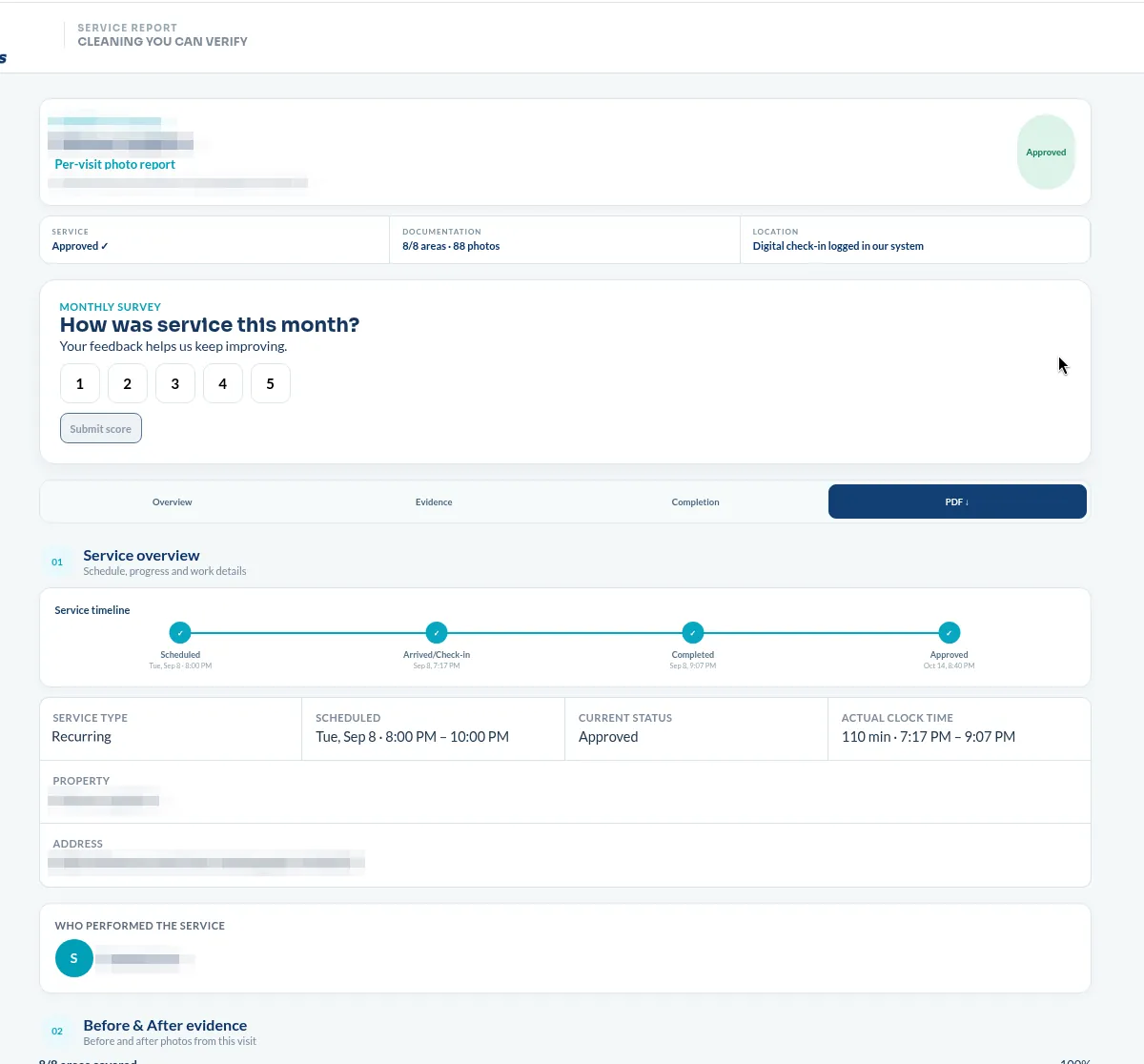
Every Chow Connections visit is documented with photos by area, the time the work was completed, and a logged check-in showing the crew was on your property. You receive the report on the schedule we agree on, weekly or monthly. Nobody has to remember what the building looked like last Tuesday.
Cleaning is judged at 8 a.m. on work that happened at 11 p.m.
Nobody is standing in the lobby at midnight watching a crew work. So when a tenant complains about a restroom, the conversation usually turns into two people describing a room from memory — and the vendor loses that argument whether or not the work was done.
A documented record ends that. It also does something more useful: it gives you something to forward. Property managers use these reports in owner updates and budget conversations, because "here is what we paid for" is easier to defend with photos attached.
This is not a software product we sell. It is how we run recurring accounts, and it is the reason we are comfortable saying facility managers can hold us accountable.
Reporting is included on recurring multifamily and select commercial accounts. It is configured during the walkthrough, because the report is built around the areas in your scope.
Three sections, in the order a manager reads them.
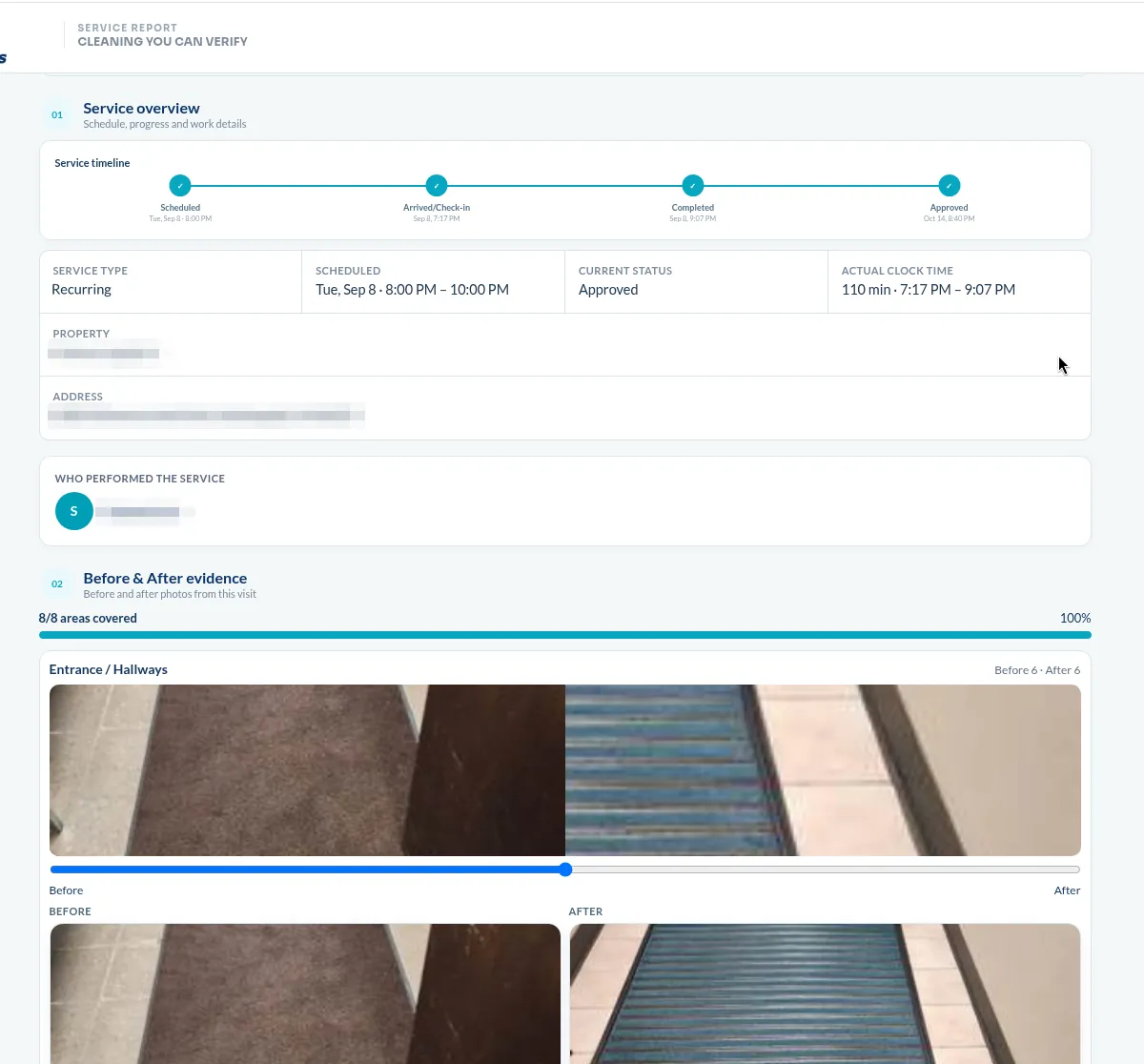
Service overview
Site, address, service type, and status at the top. Areas completed against areas scoped, total photo count, and location verification — so the first five seconds answer "did it happen."
Evidence by area
Each area in your scope gets its own entry with its own photo set — paired before and after shots, expandable when you want to look. Restrooms are listed individually rather than lumped together, because that is how complaints arrive.
Completion, feedback, and the PDF
Completion time, a reference number for the visit, a one-tap way to flag an issue, and the full record as a downloadable PDF. Flagged issues come back to us — not into a ticket queue you have to chase.
Every photo documents the space, never people. Tenant information, staff, and our internal crew workflow stay out of the client report.
What a service report should include, whoever you hire →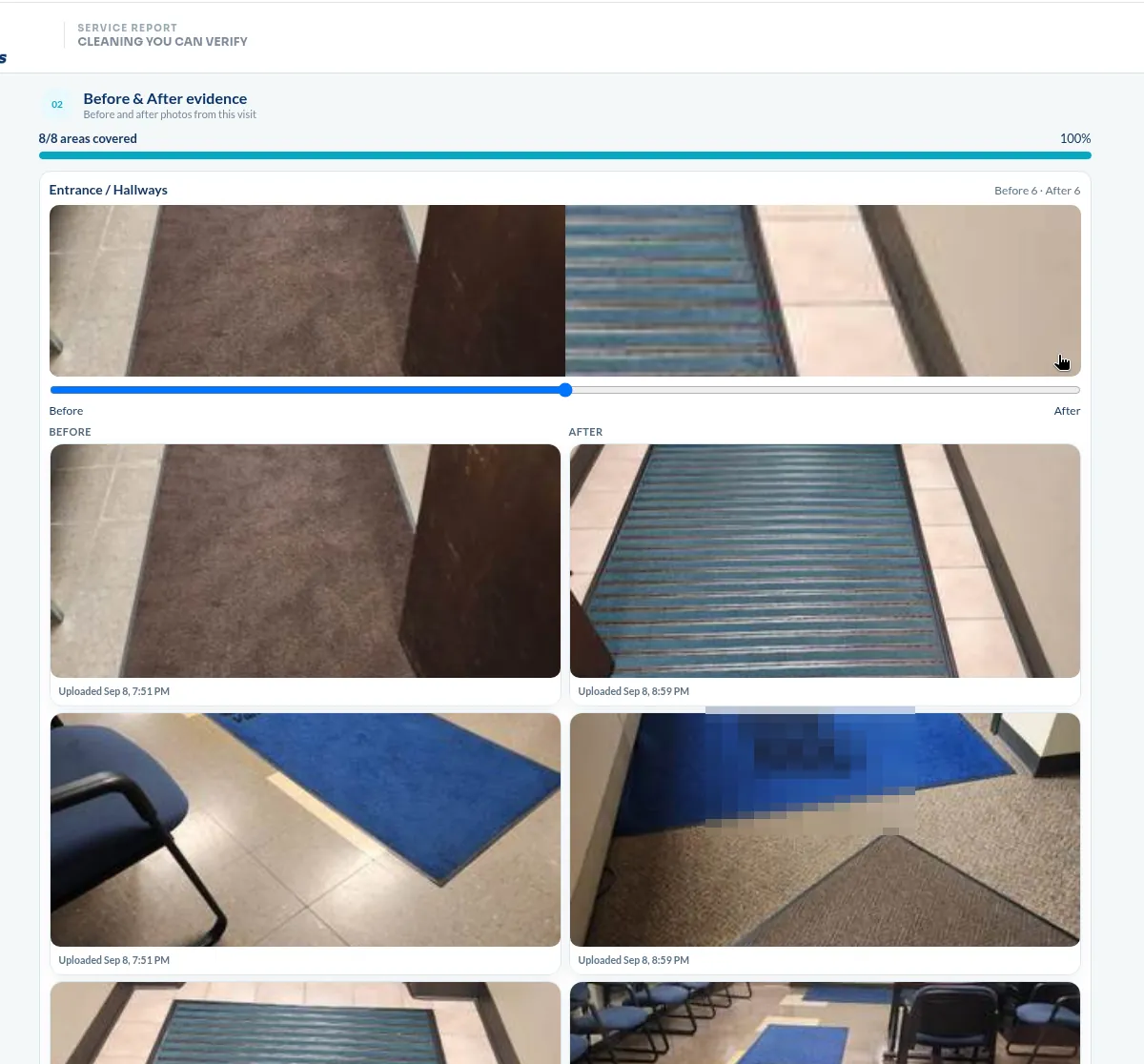
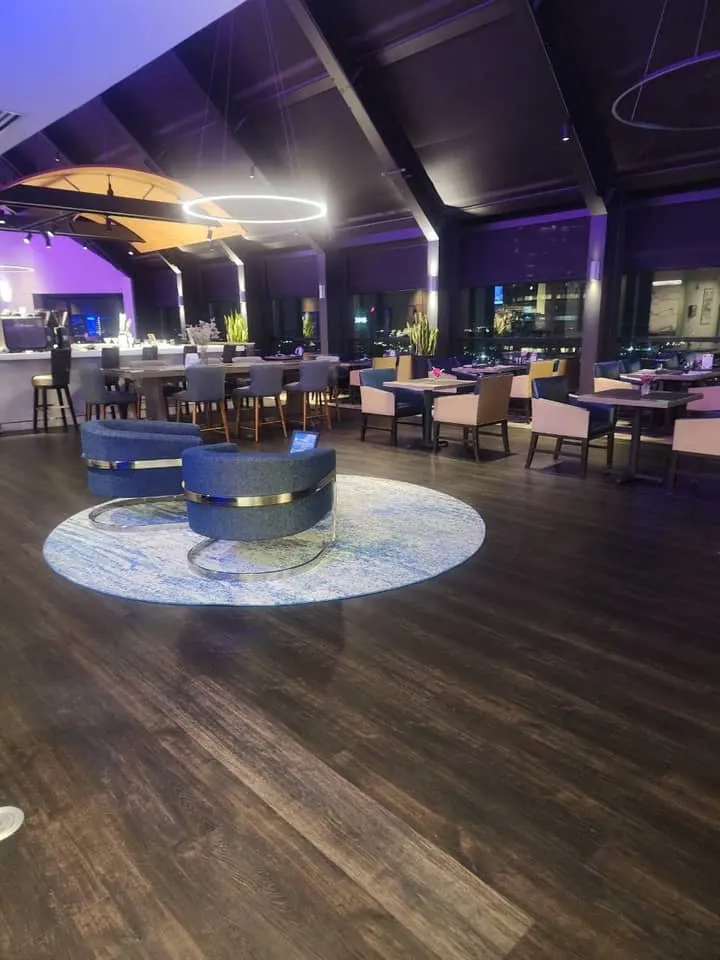
Recurring client, downtown Indianapolis — evening service.
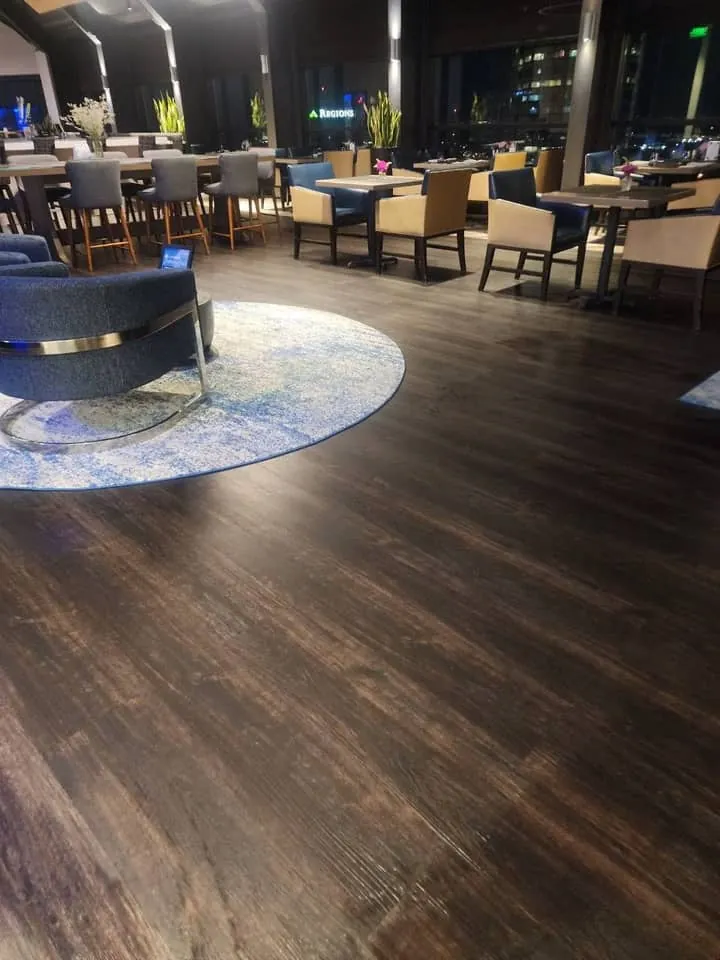
A recurring client on an upper floor of a downtown tower: dining room, lounge, entrance, and three restrooms, cleaned after service ends and reset before the next day. Everything below is from one night's report.
Why the restrooms are split out
Three restrooms, three separate entries, eight photos each. When a member reports a problem, the client's manager can look at the specific room from the specific night instead of asking us to reconstruct it.
Why the timestamp matters here
Evening service in a venue that reopens for lunch has a hard finish line. A completion time on the record is how the client confirms the room was reset in time, not just that it was cleaned eventually.
Photographs and report details are from Chow Connections service records. The client is identified by facility type at their preference.
Built for the accounts where nobody is watching.
Multifamily common areas
Lobbies, hallways, fitness rooms and leasing offices across a portfolio — the reports go straight into owner updates.
Multifamily cleaning →Offices with after-hours service
Nightly and multi-visit-per-week schedules where the tenant never overlaps with the crew.
Office cleaning →Medical and dental offices
Practices that need a retained record of what was disinfected, and when, without photographing patient areas in use.
Medical facility cleaning →What managers ask about reporting.
How do I know my cleaning company actually completed the work?+
Ask for documentation tied to the visit, not a summary written afterward. A useful record shows which areas were serviced, photo evidence for each of those areas, the location the crew checked in from, the time service was completed, and a reference number you can cite later. Here is the full list of what to look for — it applies to any vendor, not just us.
Is reporting included, or does it cost extra?+
Included on recurring multifamily and select commercial accounts. It is set up during the walkthrough, because the report is organized around the areas in your written scope — which is also why the scope comes first.
Can I forward the report to owners or above-site leadership?+
Yes — every report downloads as a PDF. Property managers use them in owner reporting and renewal conversations, which is the most common reason accounts ask for reporting in the first place.
Does the report track individual cleaners?+
No. The client-facing report documents the facility and the service — areas, evidence, completion, location. Staffing, scheduling, and our internal quality workflow stay on our side of the line.
What if a photo shows something that was missed?+
Then you have caught it without a site visit, which is the point. Flag it on the report and it comes back to us directly — our commitment: we schedule the correction.
This report format comes with every account in our commercial cleaning services in Indianapolis.
See what your building's report would look like.
We walk the property, document the scope, and show you the report format built around your areas. Written proposal withwithwithin 48 hours. No commitment.